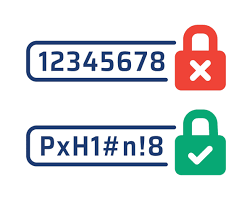
Password Security: Your First Line of Defense
Your passwords are the keys to your digital life. Learn how to create truly strong passwords and why a password manager is the single best security investment you can make.
Why “P@ssw0rd123” is a Terrible Idea
We’ve all been told to create “complex” passwords by replacing letters with numbers and symbols. While well-intentioned, this advice is outdated. Modern password-cracking tools can guess these simple substitutions in seconds.
A password like P@ssw0rd123 is predictable. A truly strong password is not just complex, it’s unpredictable. The two most important factors for password strength are length and randomness.
The Modern Method: Creating Unbreakable Passwords
Forget about remembering complex strings of characters. The best method today is to create a long, easy-to-remember, and highly secure “passphrase.”
Use the “Diceware” Method: Four Random Words
The most recommended method by security experts is to generate a passphrase by combining four or more random, unrelated words. The result is extremely long and hard for computers to guess, but surprisingly easy for a human to remember.
Correct-Horse-Battery-Staple
Blue-Giraffe-Singing-Loudly
Window-Forest-Jumping-Quickly
These are far stronger than Tr0ub4dor&3 and much easier to memorize.
Make Every Password Unique
This is the most critical rule. Never reuse passwords across different websites. If one site gets breached (and it will), attackers will use your leaked email and password to try to log into your other accounts (email, social media, banking). This is called “credential stuffing.”
But how can you remember a unique password for every site? You can’t. And you don’t have to.
Use a Password Manager
A password manager is a secure digital vault that generates, stores, and autofills unique, strong passwords for every site you use. You only need to remember one master password to unlock the vault.
This solves the problem of password reuse and allows you to have incredibly complex passwords (like 8$!k&z#qP@5*J^mG) for every account without ever needing to see or type them.
Bitwarden (excellent free and open-source option) 1Password (premium, very user-friendly) KeePassXC (free, open-source, for more technical users)
Your Password Security Checklist
Follow these rules to drastically improve your digital security today.
- Use a Password Manager. This is non-negotiable for good security. Start with a free one like Bitwarden.
- Generate Unique Passwords. Let your password manager generate a long, random password for every new account you create.
- Enable Two-Factor Authentication (2FA). For your most important accounts (email, banking), enable 2FA. This requires a second code (from your phone) to log in, even if someone steals your password.
- Create a Strong Master Password. Your master password for the vault should be a long passphrase (4+ random words) that you have never used anywhere else.
- Be Wary of Phishing. Never enter your password after clicking a link in an email. Always go to the website directly.
Ready to secure your digital life?
Explore our beginner-friendly courses to build a solid foundation in cybersecurity.
Further Reading
Now that your passwords are secure, learn about the other threats you need to be aware of.